How to bring customers to your Shopify store with a landing page?
A landing page presents one offer to one audience. It turns visitors from social media or ads into leads, then into customers of your store.
The essentials in 30 seconds
- Pick a single offer
- Create the page with AI
- Add a form and a button
- Connect the page to your tools
- Send traffic and measure
Avoid: Putting the whole store on the page: one landing page = one offer, one button.
See the details with screenshots ↓Step by step
Screenshots show the interface used in the original guide (Shopify in French, Leadpages in English). In your account, buttons appear in your language.
- 1
Pick a single offer
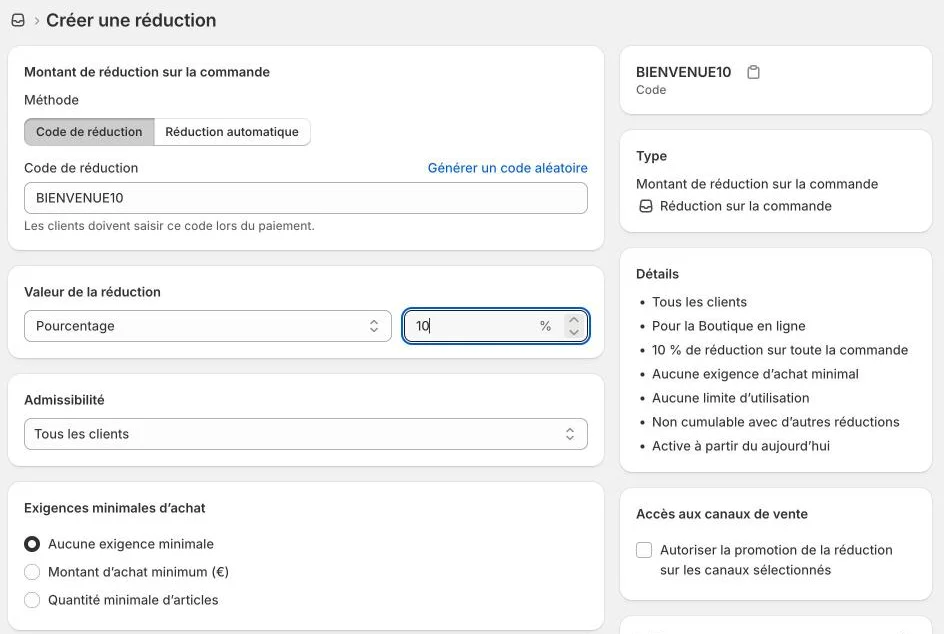
A hero product or a welcome discount. Create the code in Shopify first, for example 10 % off the first order: it is the reason to leave an email.
- 2
Create the page with AI
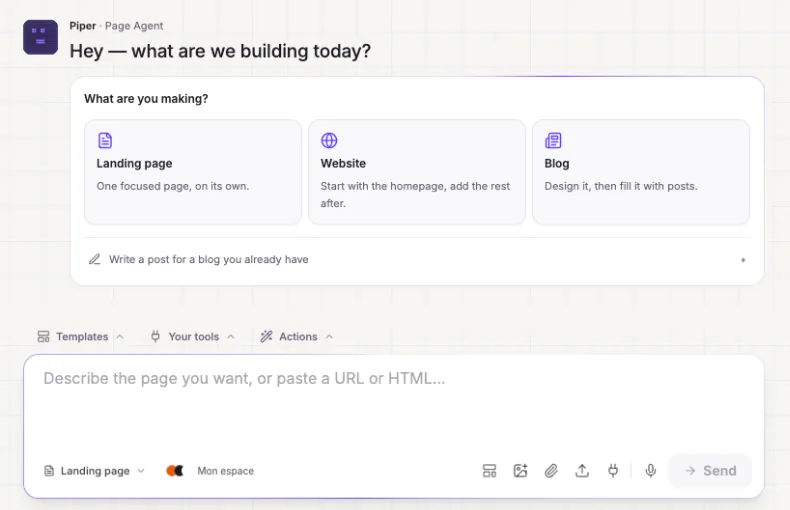
In HTML Pub or Leadpages, click « Create » and describe the page: the product, the audience, the offer and the button you want. Keep a short headline, three benefits and a product photo.
- 3
Add a form and a button
A form to collect the email in exchange for the code, and a button that leads to the product or to your Shopify store.
- 4
Connect the page to your tools
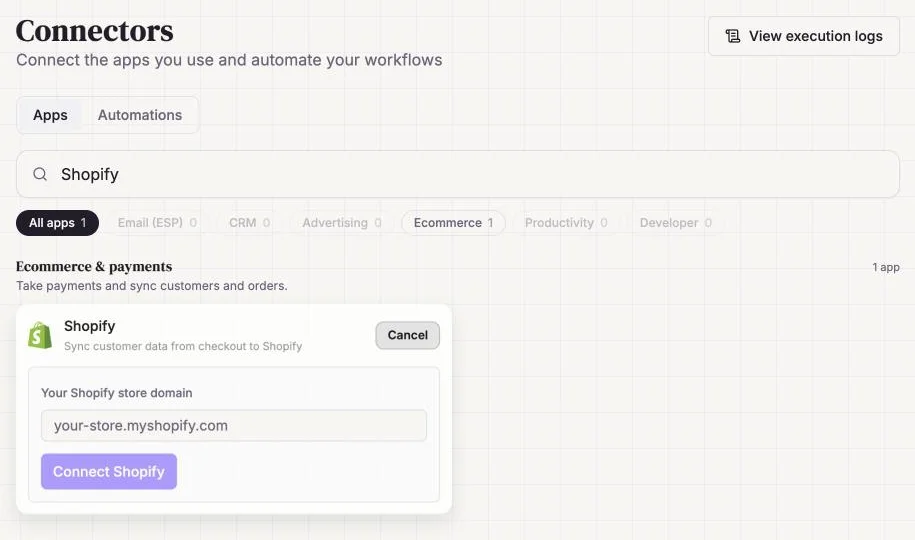
In « Connectors », send leads to your email tool and connect Shopify to find your customers in one place.
- 5
Send traffic and measure
Share the page address in your posts, your bio and your ads. Watch the page's conversion rate; with Leadpages, test two headlines with an A/B test.
Try it yourself
Shopify starts free, then has a discounted launch offer. You can set everything up before paying.
Try Shopify ↗Affiliate link: it does not change the price for you.
Common mistakes
- Putting the whole store on the page: one landing page = one offer, one button.
- Sending traffic to the store's home page instead of the featured product page.
- Promising a discount code that does not exist in Shopify yet.
Official sources
Get the next guides
New Leadpages, HTML Pub and Shopify guides by email, every two weeks. No spam, unsubscribe in one click.