How to try Shopify for free?
Shopify can be tried for free for a few days. Then a launch offer lets you keep going at a very low monthly price for the first months, enough to build your store before paying full price.
The essentials in 30 seconds
- Open the pricing page
- Click the button to start for free
- Set up the essentials during the trial
- Choose a plan to continue
- Write down the end date
Avoid: Forgetting that after the launch offer, the plan goes back to its regular price.
See the details with screenshots ↓Step by step
Screenshots show the interface used in the original guide (Shopify in French, Leadpages in English). In your account, buttons appear in your language.
- 1
Open the pricing page
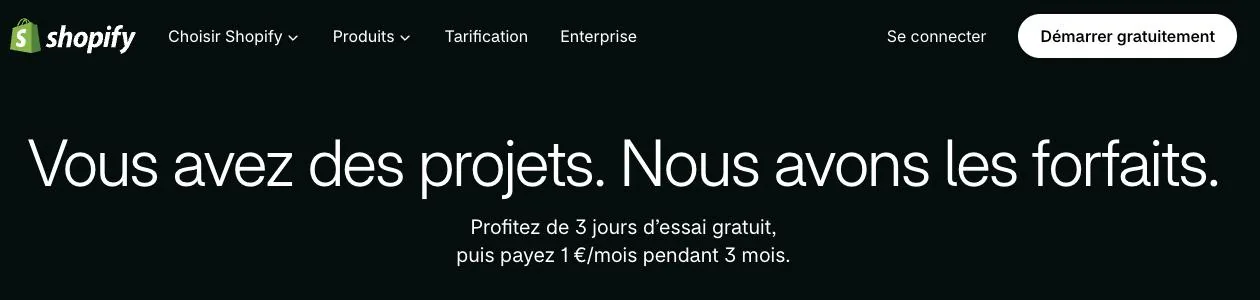
On shopify.com/pricing, the top of the page shows the current offer in the US: how long the free trial lasts, then the launch price and how many months it applies. Offers change often and differ by country, so read it on the day.
- 2
Click the button to start for free
Enter your email address and create your account. Shopify asks a few questions about your project to prepare your store.
- 3
Set up the essentials during the trial
Add one or two products, pick a theme and look at the payment settings. You will quickly see whether the tool suits you.
- 4
Choose a plan to continue
To keep your store after the trial, choose a plan. The launch price then applies for the months shown on the pricing page, followed by the plan's regular price.
- 5
Write down the end date
Set a reminder before the launch offer ends: that is when the regular price starts.
Try it yourself
Shopify starts free, then has a discounted launch offer. You can set everything up before paying.
Try Shopify ↗Affiliate link: it does not change the price for you.
Common mistakes
- Forgetting that after the launch offer, the plan goes back to its regular price.
- Spending the trial on settings without adding a single product: you never see how the store really works.
Official sources
Get the next guides
New Leadpages, HTML Pub and Shopify guides by email, every two weeks. No spam, unsubscribe in one click.