How do you create a multi-page website with HTML Pub?
A website groups several pages under one domain, with a shared menu. The AI builds the homepage first, then each page when you ask.
The essentials in 30 seconds
- Choose « Website »
- Describe your site
- Approve the page list
- Choose images and style, then build the homepage
- Build the other pages
Avoid: Building every page at once without reviewing the homepage: style mistakes get repeated everywhere.
See the details with screenshots ↓Step by step
Screenshots show the interface used in the original guide (Shopify in French, Leadpages in English). In your account, buttons appear in your language.
- 1
Choose « Website »
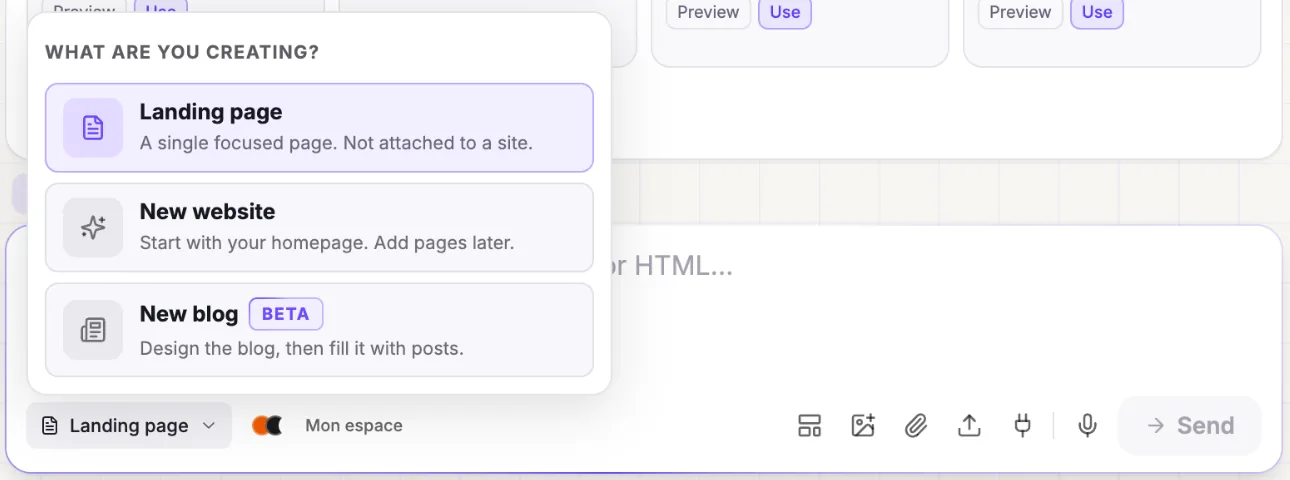
In the left menu, open the arrow next to « Create » and choose « Site ». Or, on the « Create » screen, select « Website ».
- 2
Describe your site
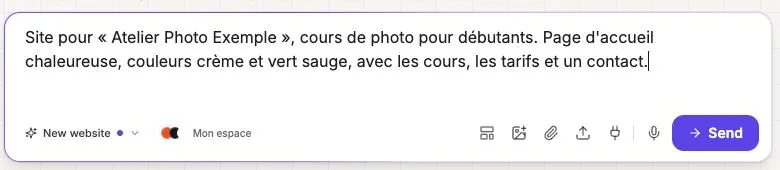
Explain your business, your audience, the style you want and the pages you need, then click « Send ». Type everything on a single line: each line break sends a separate message.
- 3
Approve the page list
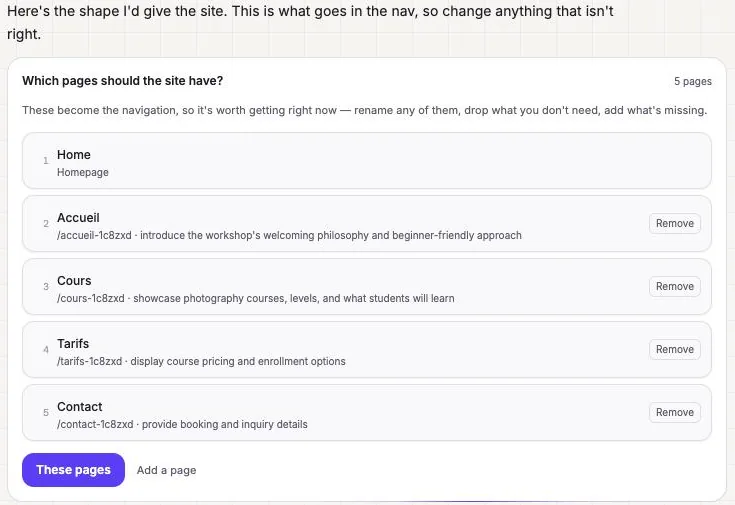
Piper suggests the menu pages. Rename, remove (« Remove ») or add some (« Add a page »), then click « These pages ».
- 4
Choose images and style, then build the homepage
As with a landing page, choose images and a style direction, then click « Build it ». Only the homepage is built at this stage.
- 5
Build the other pages
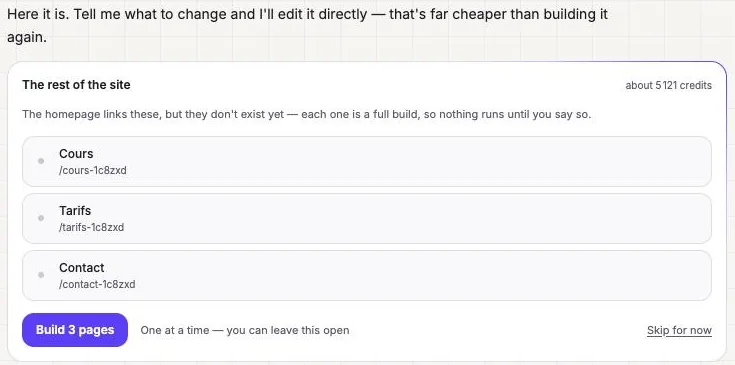
The « The rest of the site » card lists the remaining pages with a credit estimate. « Build 3 pages » builds them one by one, with the homepage's header and style. « Skip for now » lets you do it later.
Try it yourself
Every HTML Pub and Leadpages plan has a 7-day free trial, with all features.
Try Leadpages for 7 days ↗Affiliate link: it does not change the price for you.
Common mistakes
- Building every page at once without reviewing the homepage: style mistakes get repeated everywhere.
- Going over the number of pages included in your plan.
Official sources
Get the next guides
New Leadpages, HTML Pub and Shopify guides by email, every two weeks. No spam, unsubscribe in one click.