How to collect emails before a launch?
Before launching a product, a waiting page lets you gather interested people. On launch day, you email them: they are your first customers.
The essentials in 30 seconds
- Give people a reason to sign up
- Create the waiting page with AI
- Add consent and an easy way out
- Find your subscribers
- Send them to your email tool
Avoid: Asking for name, phone and city: every extra field lowers sign-ups.
See the details with screenshots ↓Step by step
Screenshots show the interface used in the original guide (Shopify in French, Leadpages in English). In your account, buttons appear in your language.
- 1
Give people a reason to sign up
A launch discount, early access or a gift. Write it clearly in the headline or just above the form.
- 2
Create the waiting page with AI
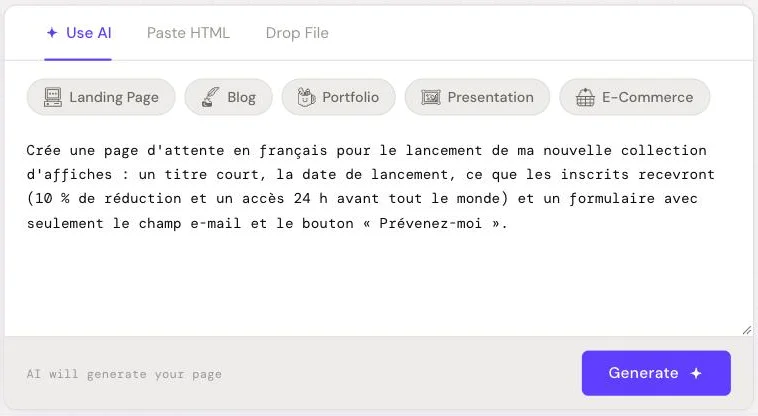
In HTML Pub or Leadpages, describe the page: the upcoming product, the date, what subscribers get and a form with a single email field.
- 3
Add consent and an easy way out
In the US, the CAN-SPAM Act requires every marketing email to include your postal address and a clear way to unsubscribe. Asking for consent up front is also required in many countries (the EU, Canada), so the safe choice is an unchecked checkbox and a sentence saying what the emails are about and how to unsubscribe.
- 4
Find your subscribers
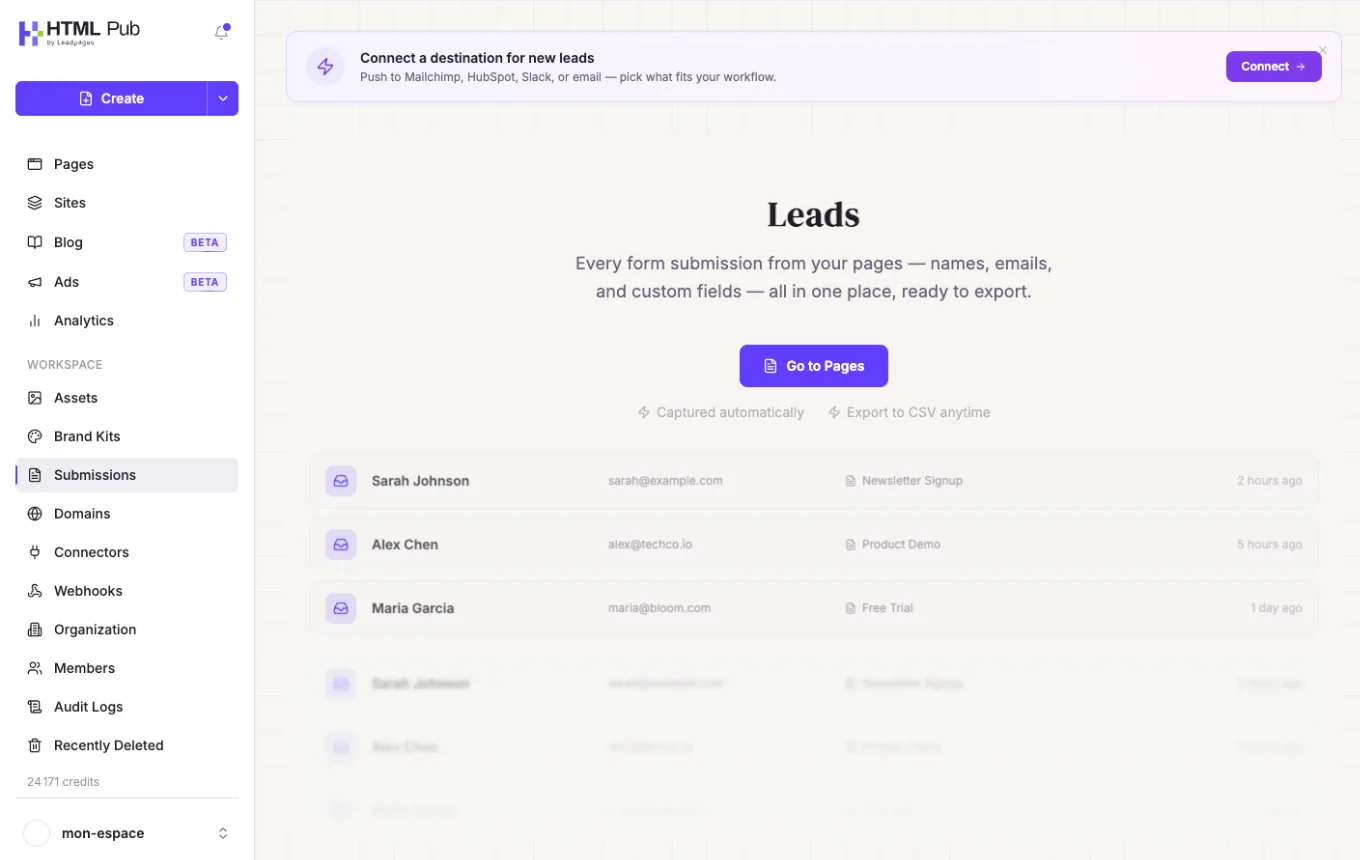
Each sign-up lands in « Submissions ». You can view them and export them as CSV.
- 5
Send them to your email tool
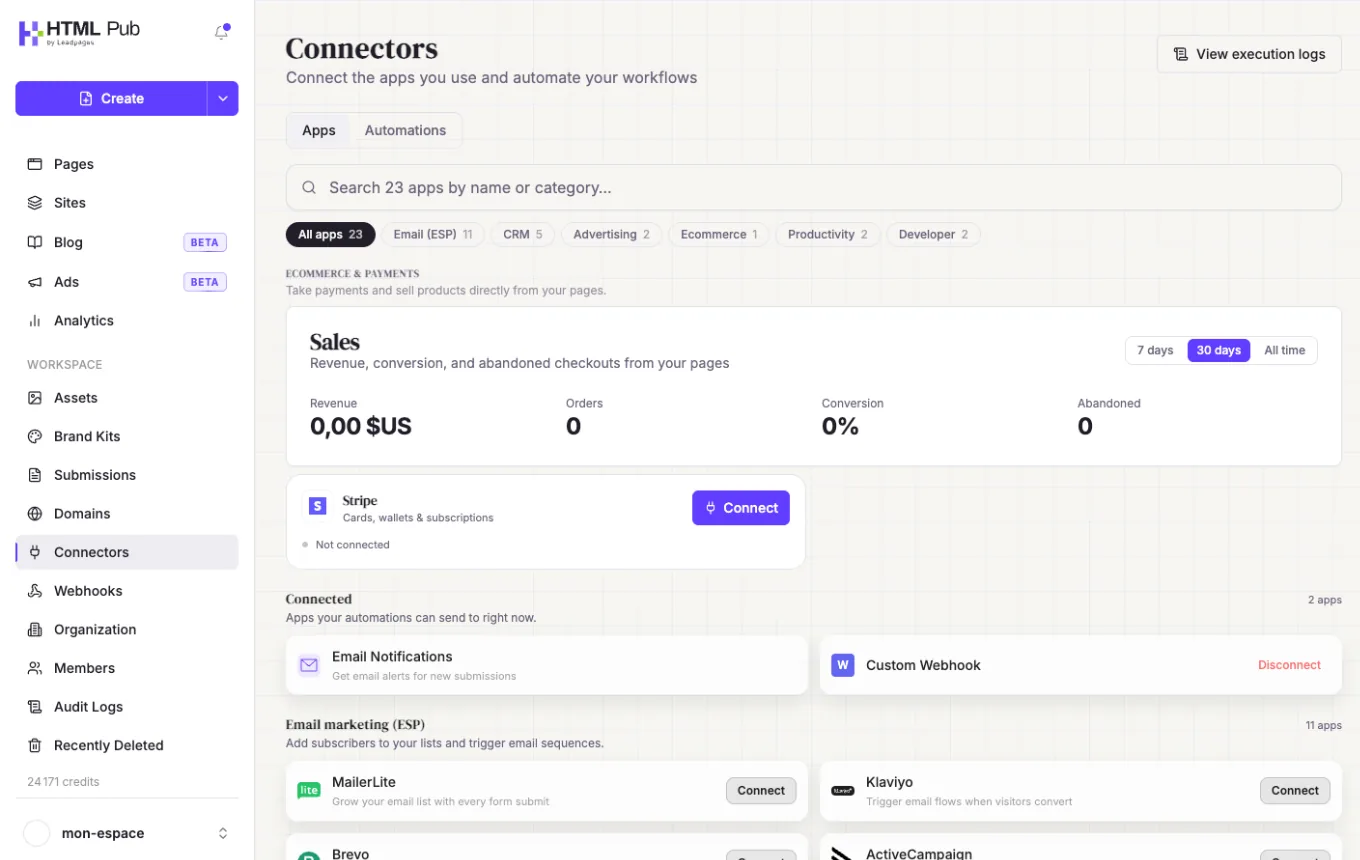
In « Connectors », connect Mailchimp, Brevo or another tool so each subscriber arrives there automatically. Prepare a welcome email and the launch-day email.
Try it yourself
Every HTML Pub and Leadpages plan has a 7-day free trial, with all features.
Try Leadpages for 7 days ↗Affiliate link: it does not change the price for you.
Common mistakes
- Asking for name, phone and city: every extra field lowers sign-ups.
- A pre-checked consent box: it is not valid in the EU and it annoys everyone else.
- Sending nothing before the launch: write at least a welcome email so people remember you.
Official sources
Get the next guides
New Leadpages, HTML Pub and Shopify guides by email, every two weeks. No spam, unsubscribe in one click.