How do you change a page's URL or protect it with a password?
Each page has a few simple settings, in the « … » menu on its card in « Pages ». They give you a readable address, hide a page that's not ready, or keep your pages organized.
The essentials in 30 seconds
- Open the page menu
- Change the title and address
- Or do it from the editor
- Protect with a password
- Organize with tags
- Take care of SEO
Avoid: Changing the address of a page already shared or used in an ad: the old link stops working.
See the details with screenshots ↓Step by step
Screenshots show the interface used in the original guide (Shopify in French, Leadpages in English). In your account, buttons appear in your language.
- 1
Open the page menu
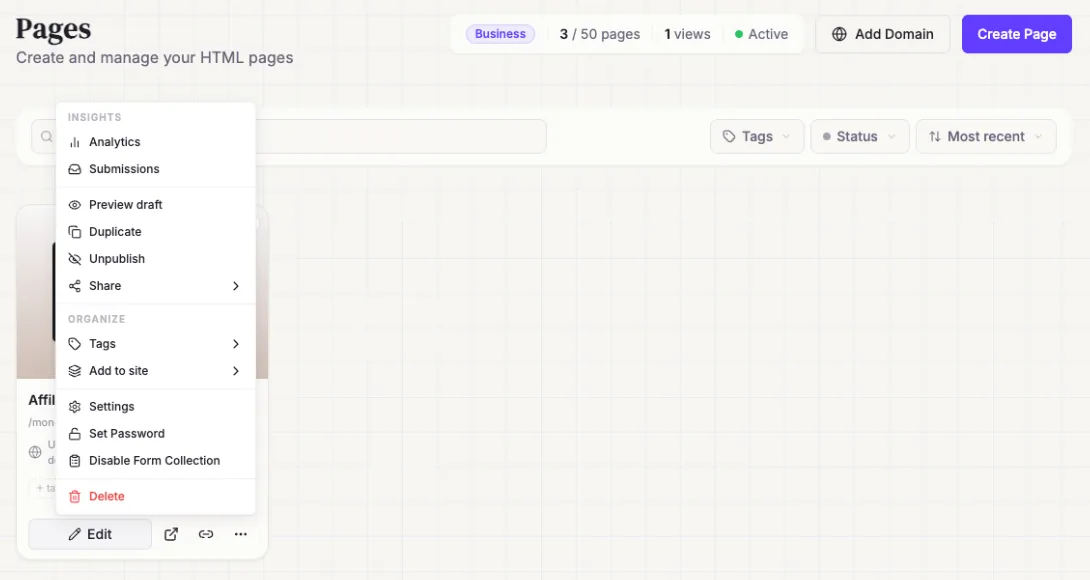
In « Pages », click « … » at the bottom of the page's card. The menu groups stats, responses, sharing and settings.
- 2
Change the title and address
Choose « Settings ». For the address (slug), use lowercase letters, numbers and hyphens, for example coaching-offer-september.
- 3
Or do it from the editor
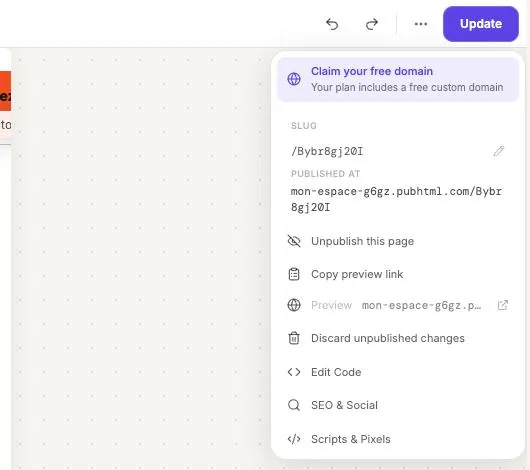
In the page editor, the « … » menu at the top right shows the address (slug, editable with the pencil), the published address, and the « SEO & Social » and « Scripts & Pixels » options.
- 4
Protect with a password
Choose « Set Password ». Visitors will need to enter the password to see the page. Handy for a client page or a page that isn't ready yet.
- 5
Organize with tags
Choose « Tags », or click « + tag » on the card, to find your pages by campaign or by client.
- 6
Take care of SEO
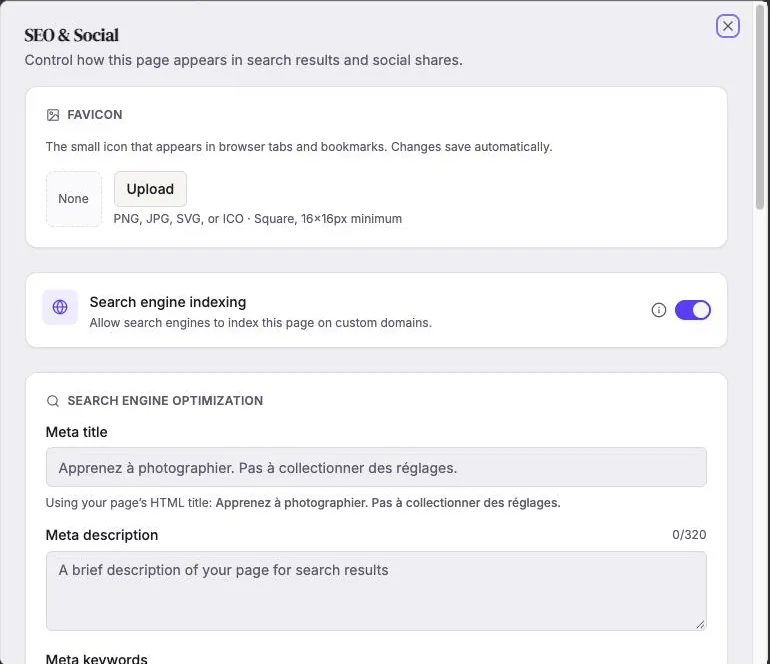
« SEO & Social » sets the tab icon (favicon), indexing by Google, and the title and description shown in search results.
Try it yourself
Every HTML Pub and Leadpages plan has a 7-day free trial, with all features.
Try Leadpages for 7 days ↗Affiliate link: it does not change the price for you.
Common mistakes
- Changing the address of a page already shared or used in an ad: the old link stops working.
- Forgetting to remove the password on launch day.
Official sources
Get the next guides
New Leadpages, HTML Pub and Shopify guides by email, every two weeks. No spam, unsubscribe in one click.